GitProtect vs. Native Microsoft 365 Backup

- Relying on Microsoft to back up its own environment creates a critical single point of failure during platform outages or tenant compromises.
- GitProtect enables the 3-2-1-1-0 backup rule by decoupling backups and routing them to independent, external storage targets.
- Unlike native tools that force data decay after 14 days and limit retention to one year, GitProtect ensures infinite retention and fully customizable RPO schedules.
- Granular cross-tenant recovery, WORM immutability, and Zero-Knowledge BYOK encryption guarantee your data remains secure and accessible even if the primary environment is lost.
Organizations often assume their Microsoft 365 assets are fully protected by native backup tools. However, while Microsoft does offer advanced built-in backup and recovery features, relying solely on a native approach is not a substitute for an independent, enterprise-grade backup strategy.
The risks of relying on a single ecosystem for backups are escalating. According to the 2026 DevOps Threats Unwrapped Report, major cloud platforms experienced 607 reliability incidents in 2025, a 69% surge in critical disruptions. When Microsoft goes down, as it did during the massive October 2025 North American outage, your native recovery tools go down with it.
To objectively evaluate true disaster recovery readiness, the following analysis compares native Microsoft 365 capabilities directly against an independent, dedicated backup solution like GitProtect.
Feature-by-feature architecture matrix
To objectively evaluate your disaster recovery posture, it is critical to look beyond marketing claims and examine the underlying technology. The following matrix provides a technical baseline, comparing Microsoft 365’s native capabilities against GitProtect’s independent backup architecture.
| Feature | Native Microsoft 365 Backup | GitProtect |
|---|---|---|
| Storage topology | Locked inside the M365 data trust boundary | Multi-storage including cloud (AWS, Azure, GCP, S3) & local (SMB/NFS) resources |
| 3-2-1-1-0 compliance | No (single-ecosystem dependency) | Yes (via cloud and All2All local replication) |
| Retention limits | 1-year default (Infinite requires Purview & E5 licenses) | Infinite & custom policies natively out-of-the-box |
| RPO and schedules | Forced decay (10-min points drop to weekly) | Fully custom (GFS, Forever Incremental, basic) |
| Ransomware defense | Append-only (WORM requires Purview Preservation Lock & E5) | True immutable (WORM-compliant) storage natively |
| Restore capabilities | Broad account/site rollbacks (same or new URL/folder) | Granular cross-tenant and local machine recovery |
| Security architecture | Provider-managed default (BYOK requires Azure Key Vault & Enterprise licenses) | App-level AES-256 BYOK & Vaulted tokens natively |
Understanding these architectural differences is critical for evaluating your true disaster recovery readiness. The most fundamental distinction between the two approaches begins with where your backups actually live.
Storage freedom and the 3-2-1-1-0 backup rule
The golden standard of data resilience is the 3-2-1-1-0 rule, which mandates absolute separation between your production environment and your backups.
Native Microsoft 365 backup fundamentally violates this principle by locking your recovery data inside the exact same M365 trust boundary. If Azure experiences an outage or your tenant is compromised, your backups go down right alongside your live workflows – creating a high-risk single point of failure.
GitProtect eliminates this dependency through architectural flexibility:
- Ecosystem isolation
By decoupling backups from the primary platform, GitProtect ensures your recovery data remains completely unaffected by Azure or Microsoft service outages. - Flexible storage targets
Organizations gain the freedom to route backups to independent, external environments – including AWS, GCP, S3-compatible storage, local NAS, or on-premises servers. - True redundancy
SaaS or On-Premise deployment models allow you to satisfy the 3-2-1-1-0 rule effortlessly, ensuring your data is always insulated and available when an emergency strikes.
Data retention and compliance audits
Enterprise compliance requires precise, long-term historical records and not just a short-term rollback.
Native Microsoft 365 backup enforces a strict one-year retention limit by default. While organizations can achieve infinite retention (e.g., 10 years or more) using Microsoft Purview Retention Policies, doing so requires navigating complex compliance configurations and purchasing premium E5 licenses. Additionally, the native backup system automatically consolidates high-frequency recovery points into weekly snapshots after 14 days, limiting your ability to perform precise historical restores.
GitProtect puts you in full control of your data lifecycle to meet any legal or operational requirement:
- Infinite retention
Store your data for as long as your organization dictates—whether that is a few months, a decade, or indefinitely—without vendor-imposed limits. - Custom GFS schedules
Deploy advanced Grandfather-Father-Son (GFS) or Forever Incremental rotation schemes, ensuring your recovery points remain intact and do not degrade over time. - Audit-ready compliance
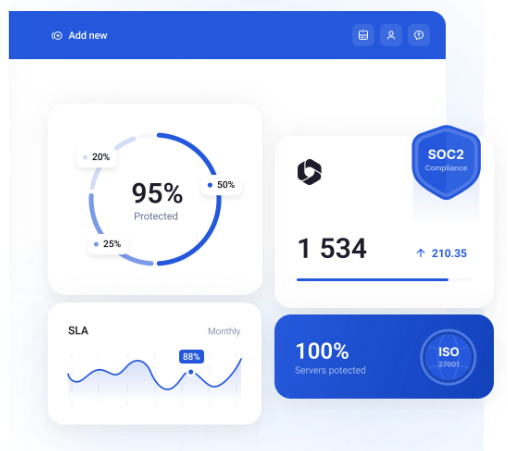
By offering policy-defined, unlimited retention, GitProtect helps organizations effortlessly satisfy strict regulatory frameworks, including SOC 2 Type II, ISO 27001, and GDPR.
Custom RPO schedules vs. forced data decay
A Recovery Point Objective (RPO) dictates exactly how much data an organization can afford to lose between backups. To meet strict RPOs, enterprise IT requires predictable scheduling that does not arbitrarily degrade over time.
Native Microsoft 365 backup initially provides high-frequency, 10-minute recovery points, but its architecture relies on a forced decay model. After just 14 days, the system automatically consolidates these granular points into weekly snapshots. This automated consolidation limits your ability to perform a precise, point-in-time historical restore for older data.
GitProtect eliminates forced data degradation, granting administrators complete control over backup frequency and historical precision:
- No forced decay
Recovery points remain exactly as they were captured, allowing you to restore a precise version of a file or mailbox from months or years ago without forced consolidation. - Fully custom scheduling
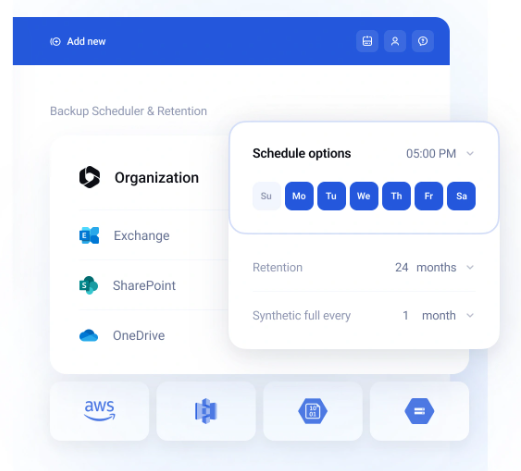
Organizations can align their backups with specific business requirements using basic intervals, advanced Grandfather-Father-Son (GFS) rotation schemes, or highly efficient Forever Incremental backups. - Predictable RPOs
By dictating exactly when and how often backups occur without arbitrary vendor interference, teams guarantee they can always meet strict internal and regulatory RPO mandates.
Security immutability and ransomware protection
Effective backup security requires data immutability and credential isolation to protect against unauthorized deletion and cyber threats.
Native Microsoft 365 backup utilizes an append-only storage architecture by default. While this prevents existing backups from being modified, it does not prevent data deletion. Achieving true WORM (Write-Once-Read-Many) immutability within the Microsoft ecosystem, where not even Global Admins or Microsoft Support can delete data, requires implementing Purview’s Preservation Lock. This is a highly complex compliance configuration that again demands E5 licenses.
GitProtect secures backup infrastructure using storage immutability and isolated credentials:
- True WORM immutability
Deploys Write-Once-Read-Many (WORM) compliant storage. Once written, backups cannot be modified, encrypted, or deleted by any user – including global administrators – until the policy-defined retention period expires. - Vaulted credentials
Backup operations rely on vaulted tokens and isolated authentication mechanisms, preventing a primary Microsoft 365 credential compromise from impacting backup storage.
Restore capabilities: Broad rollbacks vs. granular flexibility
Recovery efficiency depends heavily on how precisely, and where, data can be restored when an incident occurs.
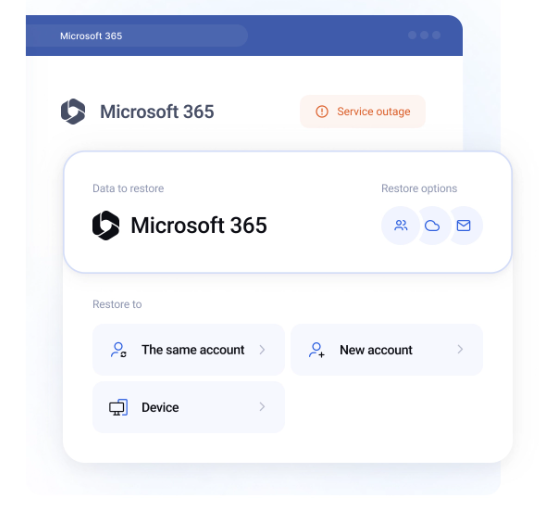
Native Microsoft 365 backup focuses on broad account or site-level rollbacks (restoring to the same or a new URL/folder). While designed for high-speed bulk restoration, in-place site rollbacks can overwrite healthy production data created after the restore point. Furthermore, native tools cannot restore data outside the primary tenant boundary.
GitProtect delivers granular item-level recovery alongside cross-tenant routing and local extraction flexibility:
- Granular item-level recovery
Enables targeted recovery of individual files, folders, or emails without requiring full site or account rollbacks that could disrupt active production environments. - Cross-tenant recovery
Supports direct data recovery to an alternate, customer-provisioned Microsoft 365 tenant. This allows IT teams to route data into their own independent sandbox or secondary environments, maintaining operational continuity if the primary tenant is unavailable. - Local storage extraction
Allows data extraction directly to local devices or on-premises targets. While OneDrive and SharePoint files restore directly in their native formats, Exchange mailbox data is recovered via structured secure archives for safe local management.
Security architecture: Provider-managed vs. zero-knowledge control
Data encryption and access management form the baseline of cloud security. However, who manages those keys and credentials determines whether your backups remain truly secure during an identity breach.
Native Microsoft 365 backup relies on provider-managed encryption and access by default. While Microsoft does offer a Customer Key feature allowing organizations to use their own encryption keys (BYOK) at the tenant level, it is a highly complex, infrastructure-level deployment that requires Azure Key Vault and premium Enterprise licenses. Furthermore, because access control is managed within the primary production ecosystem, if an administrative identity is compromised in Microsoft Entra ID (formerly Azure AD), control over those backups resides within that exact same security boundary.
GitProtect enforces complete architectural separation through isolated security models:
- User-controlled AES-256 encryption (BYOK)
GitProtect enables a Zero-Knowledge security environment by allowing organizations to define their own custom backup storage passwords. By configuring Bring Your Own Key (BYOK), data is encrypted on the client side before transmission. Because your organization exclusively controls this custom key, no vendor or external party can access or decrypt your backups. - Vaulted access tokens
Employs secure token vaulting and isolated authentication mechanisms. Backup tasks execute using secure API tokens rather than stored account passwords, preventing credential harvesting. - Isolated access management
Decouples backup access controls from the primary directory service, ensuring that compromised Microsoft 365 tenant credentials cannot be used to modify backup permissions or security settings.
Operational management and storage economics
Day-to-day operational efficiency and financial predictability are critical for enterprise IT operations. The administrative overhead and billing structure of a backup solution directly impact long-term scalability.
| Operational focus | Native Microsoft 365 Backup | GitProtect |
|---|---|---|
| Management interface | Requires navigating fragmented portals (Microsoft 365 Admin Center, Microsoft Purview, and Azure) to configure policies, compliance rules, and permissions. | Utilizes a centralized, single-pane console to manage policies, monitor tasks, and execute restores across the environment without portal-hopping. |
| Storage billing model | Operates on a Pay-As-You-Go model tied directly to an Azure subscription. Costs scale dynamically with every gigabyte stored, which can lead to variable expenses for large repositories. | Decouples management from variable vendor consumption fees, allowing organizations to Bring Your Own Storage (BYOS) using local NAS/SAN devices or preferred cloud accounts. |
Conclusion and backup strategy validation
True enterprise resilience requires completely isolating your backup architecture from your primary production environment. Relying on a single ecosystem for both daily operations and disaster recovery introduces a fundamental single point of failure, whether from platform-wide outages, credential theft, or administrative errors.
While native Microsoft 365 backup tools offer basic in-place recovery for standard operational scenarios, enterprise-grade protection requires dedicated storage freedom, unlimited retention, custom RPO schedules, and true WORM immutability.
To assess these structural security benefits within your own infrastructure, book a discovery call and custom demo to see how GitProtect’s multi-storage architecture fits into your Microsoft 365 backup strategy.
Further reading
To dive deeper into securing your cloud environment and building a resilient disaster recovery strategy, explore these expert resources:
-
Why Back Up Microsoft 365?
Discover the top five critical business risks – including ransomware, human error, and unpredictable platform outages – that make independent backups a mandatory enterprise requirement. -
Microsoft 365: What Are Your Duties Within The Shared Responsibility Model
Understand the exact legal and technical boundaries between Microsoft’s infrastructure obligations and your organization’s responsibility to secure cloud data. -
Microsoft 365 Backup Best Practices
Learn how to architect a bulletproof backup strategy by implementing the 3-2-1 rule, automated scheduling, and immutable storage across multiple distinct destinations. -
Microsoft 365 Security Best Practices
Explore actionable steps to strengthen your broader Microsoft 365 security posture through advanced access controls, identity management, and compliance-driven data protection.