GitProtect 2.4.0: Complete QA Protection in Azure DevOps, FIPS-Compliant Encryption, and More

The new 2.4.0 release delivers complete protection for your entire Quality Assurance (QA) workloads in Azure DevOps. Teams on platforms hosted locally in Windows can now secure them with the AES encryption compliant with the federal, enterprise-grade FIPS standards. This release also packs other notable upgrades, including seamless Active Directory integration, a smarter repository exclusion mechanism, and full German language support.
Dive into the full breakdown below.
The comprehensive protection of QA processes in Azure DevOps
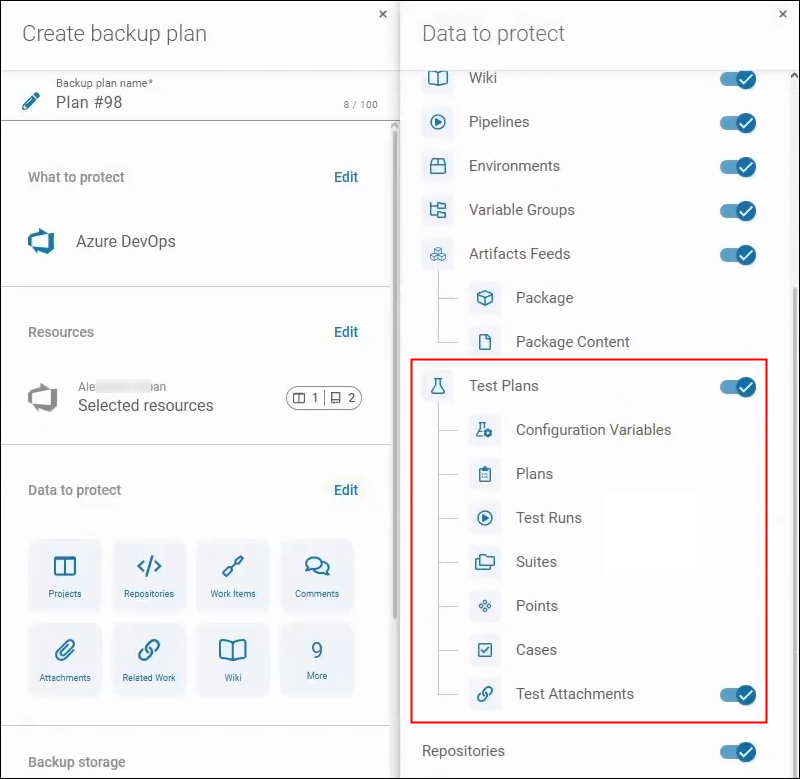
You can now use GitProtect to secure Test Plan objects in Azure DevOps. This covers protecting entire Test plans as well as Test suites, including test case assignments, configurations, and execution history.
Consequently, QA processes in Azure DevOps are fully protected, and—in the event of a failure or attack—your code deployment can proceed according to plan, without unpleasant surprises.
FIPS-compliant encryption for enterprise-grade compliance
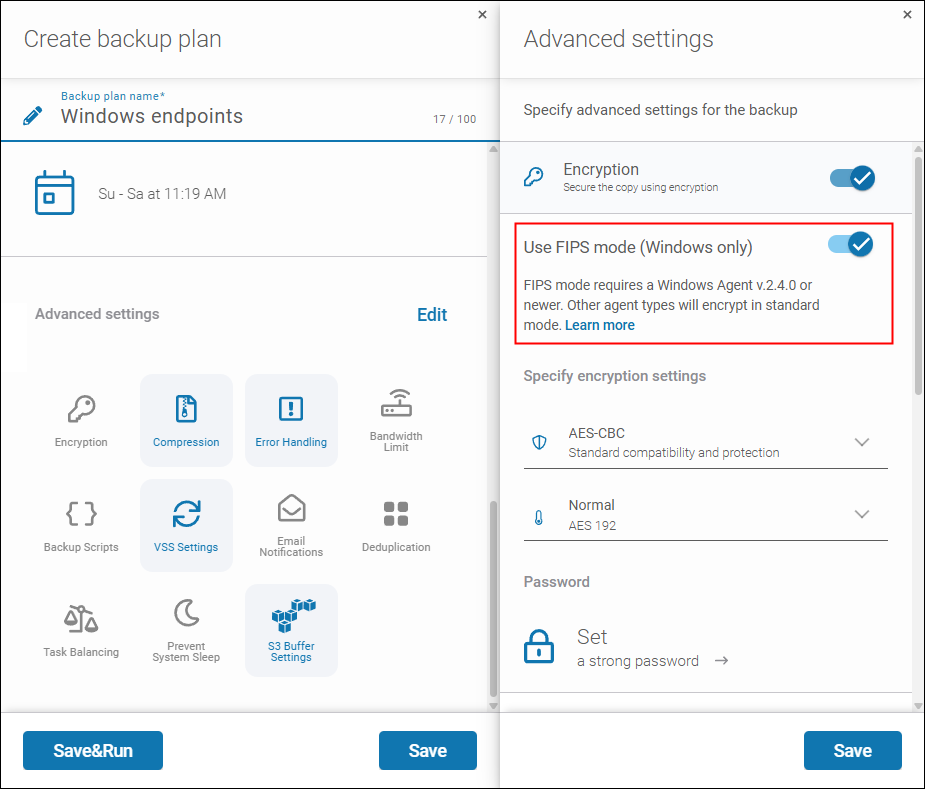
GitProtect supports two modern encryption algorithms: AES-CBC and AES-GCM. Backup plans using the first one can now leverage the new FIPS mode. Once enabled, all encryption operations are performed using modules validated for compliance with FIPS standards by National Institute of Standards and Technology (NIST), an American federal agency.
Thanks to FIPS-compliant encryption, backups of DevOps/SaaS platforms protected with a local Windows-based backup agent (e.g. Azure DevOps Server, Jira Data Center) offer a higher level of compliance with cybersecurity regulations. It’s a feature that enterprise organizations and regulated industries will especially benefit from.
Active Directory integration for greater convenience and emergency authentication
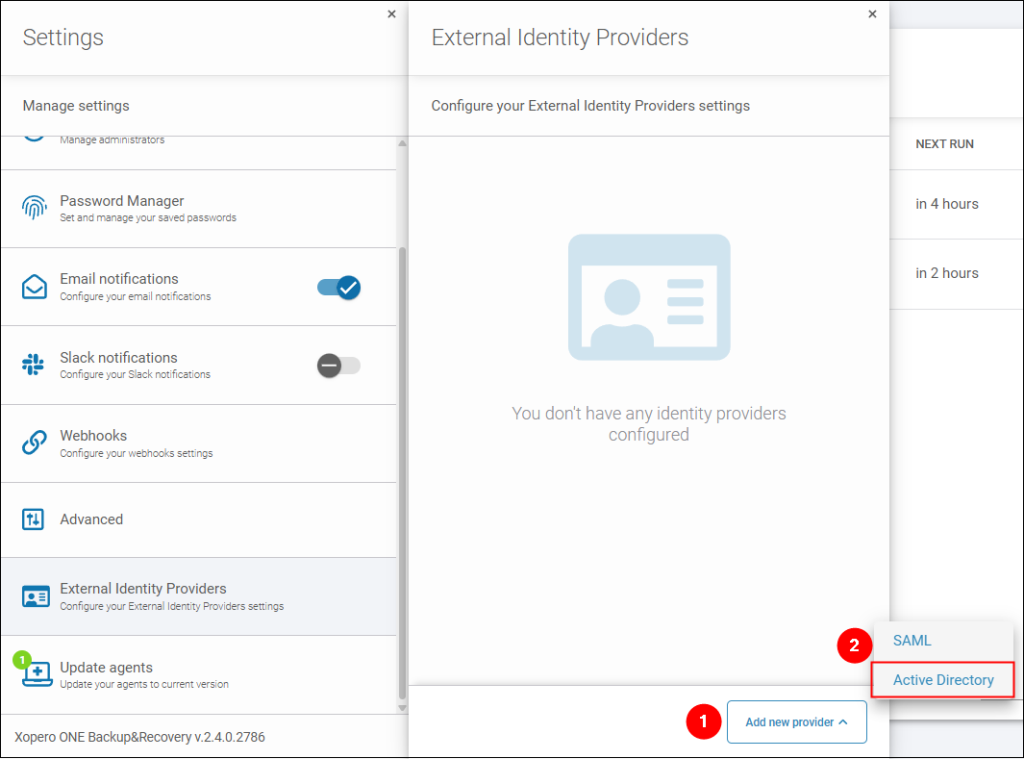
GitProtect integrates with Microsoft’s Active Directory (AD) via the LDAP protocol. This brings a number of benefits for you, including:
- automated user provisioning during login,
- the ability to map AD groups to administrative roles in GitProtect, and
- emergency authentication in case AD becomes unavailable.
Better control over excluding repositories from backup
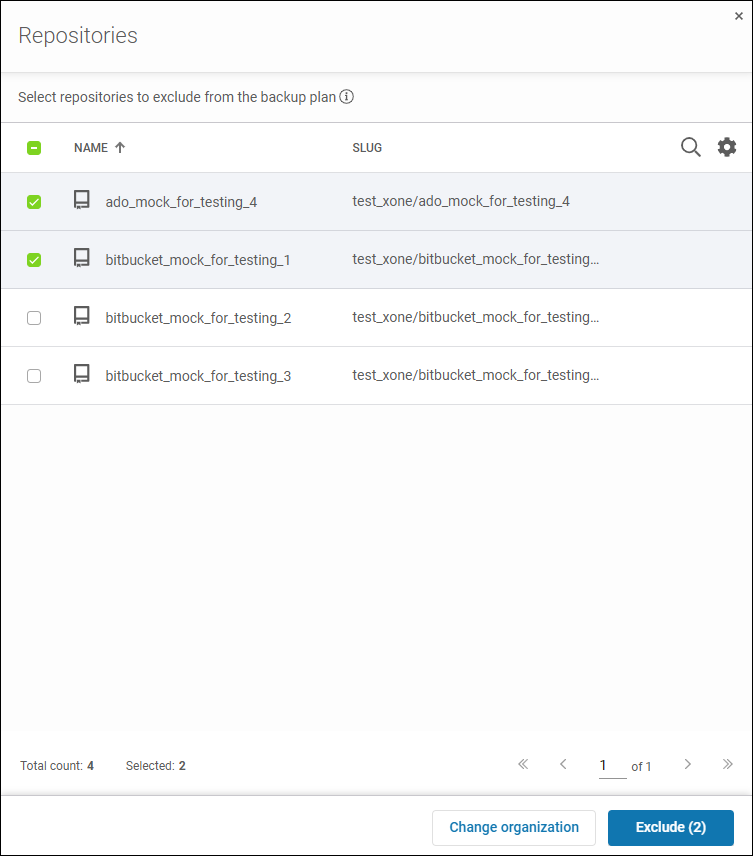
The repository exclusion mechanism in GitProtect has been redesigned to provide better clarity and control.
With immediate visual feedback, users creating a backup plan can instantly see which repo exclusion rules are in effect and exactly which repositories will be excluded from protection.
German language support to ensure native experience for users in DACH
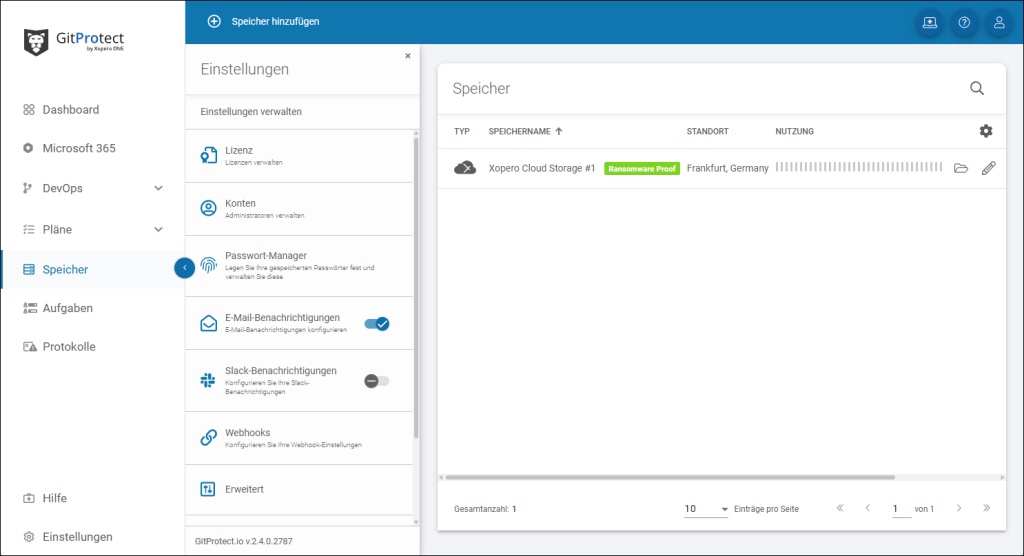
The user interface of the GitProtect Management Service console has been fully translated into German. This ensures a seamless, native-like experience for all users who communicate in German.
Other notable updates
Other noteworthy enhancements in the 2.4.0 release:
- We’ve aligned GitProtect UI with the latest official Atlassian terminology related to spaces and work items to ensure consistent user experience.
- We’ve added case sensitivity support in the SharePoint site and template search engine for even more efficient and convenient searching of resources to protect.
- We’ve implemented detailed installer event logging for remote agent updates on Windows systems to improve troubleshooting and analyses.
- We’ve enhanced the automated Jira API request retry logic to improve the connection reliability for large Jira instances and unstable network environments.
- We’ve improved Azure DevOps integration stability. If timeout parameters received from the service are invalid (e.g. negative), these will be handled properly, ensuring uninterrupted backup processes.
The full list of changes is available in the 2.4.0 release changelog.
GitProtect 2.4.0: Refined security, convenience, and user experience
You can now better protect your workloads thanks to the support for Test Plans in Azure DevOps and FIPS-compliant encryption. The Active Directory integration brings convenience for all administrators who deal with backup management. Easier repo exclusion mechanism, German UI localization, Atlassian terminology consistency, and connection stability are the improvements that focus on better user experience.
Ensure state-of-the-art protection for your DevOps and SaaS platforms with our highly secure, flexible, and intuitive backup & recovery solution. If you aren’t using GitProtect yet, you can start testing its latest version for free for 14 days by signing up here (no credit card required).