Automatic backup for DevOps stack
Overcome native and manual backup limitations with a compliant, audit-ready, and automatic backup strategy.


Overcome native and manual backup limitations with a compliant, audit-ready, and automatic backup strategy.

Match the retention period to your compliance requirements. Automatically back up your repositories with all critical metadata.

Automatically back up your data to multiple recovery points of your choice, keeping your RPO and data loss to an absolute minimum.

Redirect valuable developer hours from writing, fixing, and maintaining DIY backup scripts to areas that directly drive your ROI.

Satisfy auditors without disrupting workflows. Automated logs and SLA reporting keep you continuously ready for SOC 2 or ISO 27001 audits.
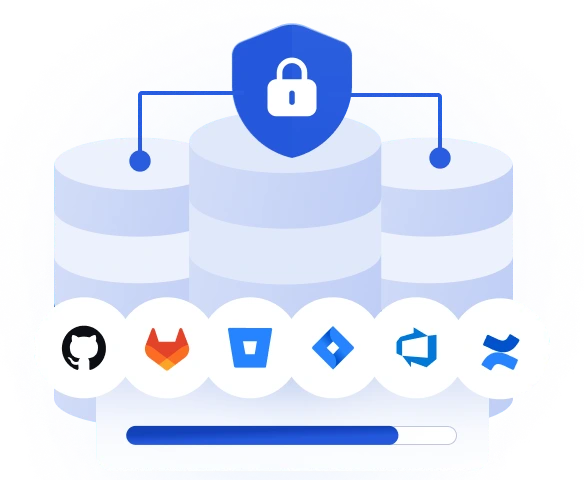
Stay resilient to vectors that may lead to critical security risks and break business continuity.

Git platforms guarantee infrastructure uptime, but your organization is solely responsible for securing, retaining, and backing up the DevOps data stored within them.

Native recycle bins and simple clones ignore crucial metadata—like pull requests, issues, and wikis—making a full, usable environment restore impossible.

30-day native retention limits fall completely short of enterprise compliance standards like SOC2 and ISO 27000, leaving you exposed to hefty fines and business continuity disruption.

In-house scripts fail silently during API changes, often leaving you with outdated, 6-month-old backups that turn a simple, manageable outage into a catastrophe.

Run custom backup schedules aligned with your team's workflow. Minimize data loss with near-zero RPO and optimize storage space thanks to automated retention policies.

Automatically replicate your backup data across multiple storage destinations; cloud or on-premise. Guarantee uninterrupted data availability by automating the 3-2-1 backup rule.

Configure your backups to secure your entire ecosystem—including metadata like pull requests, issues, wikis, and comments—to ensure you can restore a fully functional working environment.

Use webhooks and REST APIs to automatically trigger backups after specific events—like every pull request—ensuring every code change is secured before deployment.

Achieve full data traceability. Receive daily SLA summaries via Slack, email, or webhooks, and rely on immutable, advanced audit logs to instantly prove compliance during security audits.


Flexible policies, Cron-based scheduling, GFS, FIFO, Forever Incremental.
Scheduled, On-demand, Event-driven (Webhooks, REST API).
Auto-discovery and automatic inclusion of newly created repositories and metadata.
Slack, Email, Webhooks, Advanced Audit Logs, and Daily SLA Reports.
Customizable, long-term, and unlimited retention policies with granular archiving for unused repositories.
Automated Any-to-Any (Cloud/Local/Hybrid) with no API rate limit impact during replication tasks.
Instant Disaster Recovery, Granular Restore, and a cost-free test restore to an empty sandbox environment.
Repositories with metadata, including issues, merge requests, hooks, keys, wiki and more.
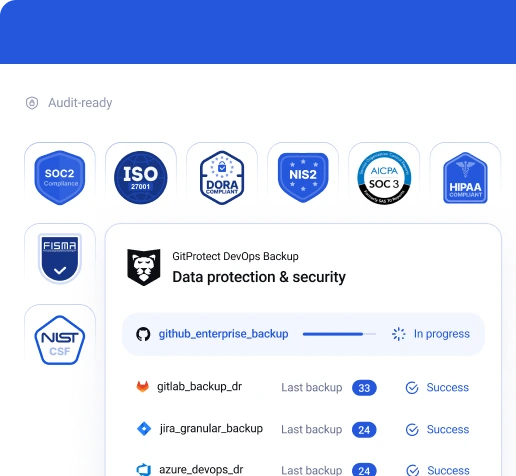

We maintain a secure Information Security Management System and are fully prepared to mitigate threats.

We implement strict data security and privacy controls to effectively support your certification requirements.

Our cloud storage uses highly secure US or EU data centers compliant with ISO 27K1, SOC 2 Type II, EN 50600, HIPAA, FISMA, and more.


See how easily you can set your DevOps backup to fully automatic with GitProtect.
Book custom demoEnsure your backup strategy is prepared for every disaster scenario
Compliance standards like SOC 2 Type II, ISO 27001, NIS2, and HIPAA mandate strict data protection policies, including regular backups, disaster recovery plans, and secure data handling.
Automating your DevOps backup transforms these complex regulatory requirements into a seamless background process. Instead of manually tracking backup statuses and creating documentation, an automated system ensures your policies are consistently enforced without human intervention.
During an audit, evidence is everything. An automated backup solution provides continuous, verifiable proof of your data resilience. It automatically generates detailed logs, broad SLA reports, and instant notifications that auditors require. This means you can effortlessly demonstrate that your organization adheres to the required data retention policies, backup frequency, and disaster recovery readiness.
Furthermore, enterprise-grade automated tools secure your data both in-flight and at-rest using AES-256 encryption with your own encryption key. This high level of security governance guarantees that even if a breach occurs, your sensitive intellectual property remains unreadable and protected, fully satisfying the stringent security controls demanded by global compliance frameworks.
Learn more about GitProtect Backup ComplianceRelying on a single storage location for your critical DevOps data creates a severe Single Point of Failure (SPOF). If that specific infrastructure experiences an outage, gets compromised by ransomware, or suffers a natural disaster, your organization's entire intellectual property is inaccessible.
Automated multi-storage replication directly addresses this vulnerability by adhering to the golden 3-2-1 backup rule, ensuring your data is never confined to just one vulnerable location.
By automating this process, your backup system simultaneously sends encrypted copies of your repositories and metadata to several distinct storage destinations. You can seamlessly replicate your backups across a mix of cloud providers—such as AWS, Azure, or Google Cloud—and your own local, on-premise servers. This redundancy guarantees that your recovery capabilities are completely independent of any single vendor's uptime or infrastructure integrity.
In a critical Disaster Recovery scenario, this automated replication is a lifesaver. If your primary backup storage becomes compromised or temporarily unavailable, your automated system can instantly pull the required data from an alternative location. This ensures true 360-degree cyber resilience, significantly minimizing downtime and allowing your development teams to resume their work without devastating disruptions.
Explore GitProtect Multi-Storage Backup capabilitiesA widespread misconception in DevOps security is that cloud hosting platforms like GitHub, GitLab, Jira, or Bitbucket automatically protect your data from loss. In reality, these vendors operate under the Shared Responsibility Model. They guarantee the uptime and availability of their infrastructure, but securing the actual data—including source code, issues, and metadata—is entirely your organization's responsibility.
Native protection features, such as basic recycle bins or simple repository clones, are fundamentally inadequate for enterprise security. They come with severely limited retention periods and often ignore critical metadata altogether.
If an advanced ransomware attack encrypts your repositories or a malicious insider intentionally wipes out your projects, native tools cannot provide a reliable, point-in-time recovery option, leaving your business exposed to permanent data loss.
Furthermore, relying solely on the platform itself means your backup is stored in the same environment as your production data. If the platform suffers a major global outage or a severe security breach, you lose access to both your live code and your native backups simultaneously. Implementing a third-party, automated backup solution ensures your data is isolated, encrypted, and ready for cross-over recovery even when the primary provider fails.
Read more about the Shared Responsibility Model and DevOps BackupMany organizations initially attempt to manage their DevOps backups using in-house, "Do-It-Yourself" scripts. However, these manual scripts are highly prone to human error and represent a significant security vulnerability. They require constant, tedious updates every time the API of platforms like GitHub or Jira changes.
If a script breaks silently, your organization might operate for months under the false assumption that backups are running, only to discover the failure during a catastrophic data loss event.
Moreover, manual scripts rarely account for comprehensive Disaster Recovery requirements. Writing a script to pull data out of a platform is only 30% of the job; the real challenge is the restore process. DIY solutions typically lack automated, tested restore environments, making it incredibly difficult to perform granular recoveries, cross-over restores to different platforms, or point-in-time restorations without massive data corruption.
Finally, homegrown scripts often lack essential security features like robust encryption, ransomware protection, and multi-storage replication. They are difficult to scale as your data ecosystem grows—struggling with large repositories or extensive pull request histories. Relying on an untested script during a crisis drastically increases your Recovery Time Objective (RTO), costing the business invaluable time and revenue.
Learn more about the real cost of DevOps backup scriptsThe perception that DIY backup scripts are "free" completely ignores the massive hidden costs associated with their maintenance and execution. Developing, monitoring, fixing, and updating a custom script requires hundreds of hours from your highly skilled DevOps engineers. These are expensive resources that should be focused on building core product features and driving your company's ROI, not babysitting unstable and unpredictable backup infrastructure.
Automated backup solutions eliminate these hidden maintenance costs by providing a fully managed, "set it and forget it" environment. The system automatically handles API changes, scales with your growing data volume, and provides immediate notifications if any issues arise. This predictability turns an operational drain into a fixed, manageable investment, drastically optimizing your team's productivity and freeing up hidden IT potential.
More importantly, automation saves money by mitigating the catastrophic financial impact of downtime. In the event of an outage or ransomware attack, a dedicated tool with a proven Disaster Recovery strategy can restore your ecosystem in minutes rather than days. Avoiding the massive revenue loss, reputational damage, and compliance fines associated with prolonged data unavailability makes automated backups the most financially sound choice.
Learn more about Disaster Recovery Strategy in DevOpsYes, a truly automated, enterprise-grade backup solution is designed to scale dynamically alongside your organization's growth. DevOps environments are incredibly fluid; developers are constantly spinning up new repositories, creating new Jira projects, and adding new boards. Relying on an administrator to manually update the backup plan every time a new asset is created is inefficient and inevitably leads to critical data falling through the cracks.
GitProtect eliminates this vulnerability by continuously syncing with your DevOps platforms. Once you connect your GitHub, GitLab, Bitbucket, or Jira environments, the system automatically detects newly created repositories or projects and instantly includes them in your predefined backup policies. This automated discovery ensures that your protection perimeter is always up-to-date without any manual intervention.
This auto-scaling capability provides absolute peace of mind for both DevOps teams and security leaders. Whether you have ten repositories or ten thousand, you can trust that every single piece of new code, issue, or metadata is secured from day one. You can define dynamic rules to automatically assign these new assets to specific storage destinations or retention schedules based on your exact organizational needs.
Join our DevOps Backup Academy to learn more about GitProtect’s automatic backupsRecovery Point Objective (RPO) dictates the maximum amount of data your organization can afford to lose. Automated backups drastically minimize your RPO by allowing you to schedule frequent, continuous, or even forever-incremental backups.
Because the process runs continuously in the background, you establish multiple recovery points throughout the day, ensuring that even in a worst-case scenario, your data loss is kept to an absolute minimum.
Recovery Time Objective (RTO) measures the maximum acceptable downtime before your operations must be restored. Automated backup tools provide comprehensive Disaster Recovery capabilities that drastically slash your RTO.
Instead of manually piecing together fragmented scripts, you gain instant access, predictable restore scenarios, including point-in-time recovery, local machine restores, and cross-over recoveries (e.g., restoring from GitHub to GitLab during an outage).
Learn more about RPO and RTO in a DevOps environmentWhile source code is often viewed as a company’s primary intellectual property, it represents only a fraction of the actual value stored within your DevOps ecosystem. Metadata—such as issues, pull requests, wikis, comments, commit histories, and LFS—provides the critical context required to understand and utilize that code. Without this historical data, even perfectly intact source code becomes incredibly difficult for your team to navigate and deploy.
Automating the backup of this metadata is vital because its loss results in complete organizational chaos. Imagine trying to rebuild your sprint planning, deployment histories, and peer review discussions from memory. If an attacker wipes your repositories or a user accidentally deletes a vital project, a source-code-only backup will leave your developers paralyzed, wasting weeks trying to reconstruct the project's structure, dependencies, and permissions.
A comprehensive automated backup solution secures the entire DevOps ecosystem, ensuring that every piece of related metadata is protected alongside the code. When a disaster strikes, you can restore your repositories to their exact state right before the incident, complete with all roles, comments, and issue links. This holistic recovery guarantees true business continuity and keeps your team's productivity uninterrupted.
Learn more about metadata and repository backup, recovery, and compliance


