Build true cyber resilience with multi-storage backup
Establish a compliant and audit-ready backup strategy that ensures continuous DevOps operations and stays resilient to ransomware and platform outages.

Establish a compliant and audit-ready backup strategy that ensures continuous DevOps operations and stays resilient to ransomware and platform outages.

Make sure your data is always reachable and restorable thanks to automated data replication across multiple cloud and local destinations.

Protect your code with immutable, WORM-compliant storage that hackers cannot access. Restore it quickly if an attack happens.

Choose your data residency and localization to enforce strict data sovereignty and meet compliance and corporate policies.

Ensure full data traceability and audit readiness with automated SLA reporting, real-time notifications, and exportable logs.
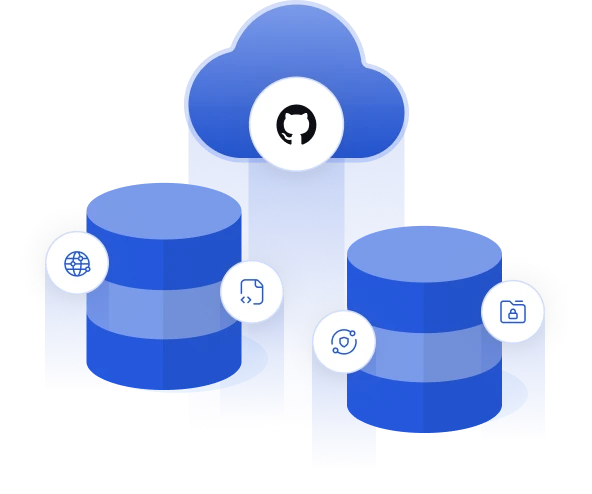
Take full control of your data governance by addressing the hidden risks of standard cloud hosting and limited native backup options:

Don't mistake platform uptime for data safety. Under the Shared Responsibility Model, vendors secure the infrastructure, but you are accountable for the security and storage of your backup data.

Native tools are not built for disaster recovery, restoring data granularly, cross-restoring to other platforms, or long-term retention policies. Data encryption or immutability may be limited too.

Even the biggest platforms experience outages that can massively disrupt your work. Stay immune to such unpredictable infrastructure failures with multi-storage backup.

Set custom, long-term, or infinite retention policies to easily archive repositories and comply with NIS2, DORA, ISO 27001, and SOC 2.

Every GitProtect plan includes unlimited cloud storage, giving you a ready-to-use, fully managed destination for your DevOps backups from day one.

Integrate your backups directly with AWS S3, Azure Blob Storage, Google Cloud Storage, Wasabi, Backblaze B2, or any S3-compatible provider.

Secure your repositories behind your own firewall by integrating GitProtect with your local NAS, disk resources, or SMB/CIFS/NFS network setups.

Automate your backup replication across any environment and adhere to the 3-2-1 rule. Sync data cloud-to-cloud, cloud-to-local, or local-to-cloud to eliminate single points of failure.
 In-flight & At-rest AES-256 with Bring Your Own Key (BYOK), Zero-Knowledge architecture, and SSO/SAML integration (Okta, Azure AD, etc.). North America, EMEA, APAC, or Custom (BYOS)—hosted in certified Data Centers (SOC 2 Type II, ISO 27001, HIPAA). WORM-compliant immutable storage support, air-gapped backups, non-executable formats, and a built-in secure password manager. Automated Any-to-Any (Cloud/Local/Hybrid) with no API rate limit impact during replication tasks. Flexible, long-term, and unlimited retention policies (GFS, FIFO rotation, and forever incremental) with granular archiving for unused repositories. AWS S3, Azure Blob, Google Cloud, Wasabi, Backblaze B2, S3-Compatible. Unlimited GitProtect Cloud included for free. NAS (Synology, QNAP, etc.), SMB, CIFS, NFS, Local Disk. Fully compatible with SaaS and On-Premise GitProtect deployments.


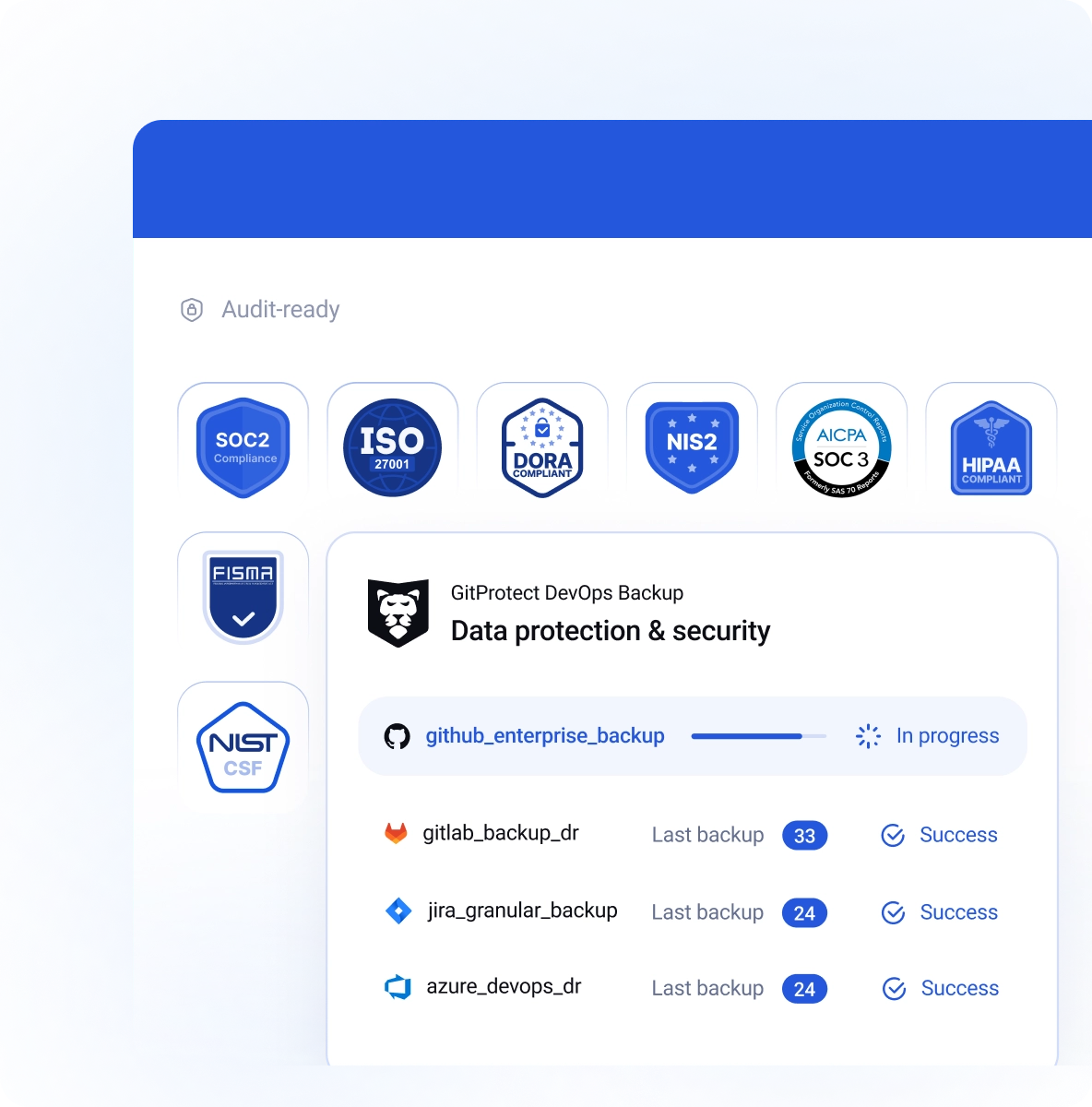

As a ISO27001 certificate vendor we follow a comprehensive framework to maintain and develop a secure Information Security Management System. We are prepared to react appropriately in the event of threats.

We have implemented appropriate security measures and controls in terms of data security, availability, processing integrity, confidentiality, and privacy. This underlines our commitment to supporting your compliance and certification requirements.

Using GitProtect’s cloud storage, your backup data is located in carefully selected, highly secure USA or EU-based data centers complying with top security guidelines, including ISO 27K1, SOC 2 Type II, EN 50600, HIPAA, FISMA and more.

See how you can protect your DevOps data with GitProtect
Book custom demoThe 3-2-1 backup rule is the industry gold standard for data protection, and it is absolutely critical for securing DevOps environments like GitHub, GitLab, Bitbucket, or Jira. It dictates that you must keep at least three copies of your data.
These copies should be stored on at least two different types of storage media, and at least one copy must be kept off-site or in a separate cloud environment. In the context of DevOps, your live source code repository counts as your first copy. Relying solely on your hosting platform creates a dangerous single point of failure.
If your SaaS provider experiences a prolonged outage—or if a malicious script wipes your account—you could lose everything. By implementing the 3-2-1 rule with GitProtect, you automatically push a second copy to a primary backup destination (like AWS S3) and a third copy to a secondary location (like an on-premises NAS).
This architectural redundancy ensures that no matter what happens to your primary development platform, a secure, uncorrupted version of your repositories and metadata is always available for immediate disaster recovery.
Dive deeper into building a resilient architecture in our full guide on the 3-2-1 Backup Rule for DevOps.
WORM stands for "Write-Once-Read-Many," and it is a specific type of data storage technology that makes your backups completely immutable. Once your source code, project metadata, or Jira tickets are written to a WORM-compliant drive, a strict time-based lock is placed on those files.
During this locked retention period, the data becomes strictly read-only—it cannot be altered, overwritten, encrypted, or deleted by anyone, not even a system administrator with root access. This makes WORM storage your ultimate line of defense against modern ransomware attacks.
Today's sophisticated cybercriminals don't just attack your live production environments; they actively hunt down and destroy your backup files to force a ransom payout. By utilizing WORM-compliant storage, you neutralize this threat entirely.
Even if hackers breach your network and compromise your primary DevOps platform, your immutable backups remain perfectly preserved in a pristine, non-executable state, guaranteeing you can restore your intellectual property without paying a dime.
Discover how immutability neutralizes threats in our detailed breakdown of what WORM storage is and why you need it.
The Shared Responsibility Model is a fundamental cybersecurity framework utilized by leading DevOps SaaS providers—including Atlassian, GitHub, GitLab, and Microsoft. It clearly outlines the division of security obligations between the vendor and the customer.
Under this model, the vendor is solely responsible for the security of the cloud. They maintain the physical servers, network infrastructure, and overall application uptime. However, you—the customer—are entirely responsible for security in the cloud. This means the protection of your actual account data, source code, issues, wikis, and attachments falls on your shoulders.
If a developer accidentally deletes a critical repository, a rogue script overwrites your Jira issues, or a cybercriminal hijacks an employee's credentials to wipe your account, the SaaS provider is not obligated to recover your lost data.
Native platform snapshots are designed for the vendor's internal disaster recovery, not to reverse customer-initiated destructive changes. Understanding this gap is the first step in realizing why an independent, third-party backup solution is mandatory for true cyber resilience.
Don't let this security gap catch you off guard; learn how to protect yourself in our article on the Shared Responsibility Model.
Yes, and automating this process is one of the most powerful features of a comprehensive multi-storage strategy. GitProtect features an advanced, automated any-to-any replication engine that eliminates vendor lock-in and prevents single points of failure.
This means you are not restricted to keeping your backups in just one ecosystem. You can seamlessly replicate your backup data from one public cloud to another (for example, from AWS S3 to Google Cloud Storage or Azure Blob), or you can bridge your cloud infrastructure with local, on-premises hardware like a Synology or QNAP NAS.
This cross-platform replication happens automatically in the background based on your custom schedule, without negatively impacting your DevOps platform's API rate limits.
By diversifying your storage vendors, you ensure that even if a major cloud provider suffers a catastrophic outage or a regional compliance issue forces you to move data, you have an immediate, synchronized failover ready to deploy.
See how easy it is to achieve true redundancy in our articles on cross-platform recovery and how cross-platform tools support data migration.
Meeting the strict demands of global compliance frameworks—such as SOC 2 Type II, ISO 27001, NIS2, and DORA—requires far more than basic 30-day data retention. These regulations often mandate that companies maintain long-term, easily accessible historical records of their intellectual property, development workflows, and access logs.
GitProtect provides unlimited data retention, allowing you to design a data lifecycle policy (using methods like Grandfather-Father-Son rotation) that perfectly matches your industry's specific legal requirements.
Beyond simply passing audits, unlimited retention serves a critical operational function: archiving. Software houses and enterprise IT teams can safely archive legacy code, finished client projects, or deprecated repositories indefinitely.
This allows you to securely remove old projects from your active GitHub or Jira instances—freeing up expensive SaaS seats and decluttering your workspace—while resting assured that the complete history of your code can be retrieved instantly if a legal dispute, compliance audit, or retroactive bug fix requires it.
Master your archiving strategy by reading our insights on the importance of data retention policies in DevOps backup and recovery.
Recovery Point Objective (RPO) is a critical disaster recovery metric that defines the maximum acceptable amount of data loss your organization can tolerate following a disruption. Measured in time—ranging from minutes to days—it represents the exact point in the past to which you must reliably recover your data to resume normal operations.
In a fast-paced DevOps environment where code is pushed, merged, and modified continuously, a long RPO is a massive operational risk. If your RPO is dictated by a basic 24-hour backup script or a native platform snapshot, and a ransomware attack occurs at the end of the workday, your team permanently loses an entire day of development effort.
This gap translates to delayed release cycles and thousands of dollars in lost productivity. Achieving a stringent, near-zero RPO requires a professional, automated backup strategy. With GitProtect, you can drastically shorten your RPO by scheduling highly frequent, differential, or forever-incremental backups.
By synchronizing these frequent copies across multiple storage destinations, you guarantee that your most recent commits, metadata, and Jira issues are always preserved and ready for immediate recovery.
Explore our detailed glossary entry on Recovery Point Objective (RPO).


