10 DevSecOps Vulnerabilities That Can Compromise Your CI/CD Pipeline

The shift-left approach and prioritizing security from the very beginning of the coding process are what the tech industry talks endlessly about. Yet, many DevOps teams falsely believe that simply scanning code makes them secure.
The harsh reality is that your CI/CD pipeline is rarely guarded with the same level of rigor and monitoring as the production environment it serves.
That’s why, together with Paweł Budzan, Technology Consultant, AI & Cybersecurity Architect at Xopero, we discussed and listed the biggest DevSecOps vulnerabilities your CI/CD might be exposed to.
And the chances are—it will be. Read on to understand why.
Why Your CI/CD Pipeline Is the Ultimate “Master Key” for Hackers
CI/CD pipelines remain among the most common attack vectors. From a business and architectural perspective, these pipelines have become just as attractive to hackers as production environments themselves.
Attacking the pipeline is the ultimate shortcut. Instead of fighting through layers of sophisticated production firewalls, hackers simply compromise the trusted system that automatically pushes code into your environment.
| “Your CI/CD pipeline holds the keys to the entire kingdom: the repo, the cloud, production secrets, and deployment to production. You hack the runner, and you aren’t just in one room; you are in the whole building with a master key to every door. Shift-left is cool, but most teams scan the code and think it’s secure. And the pipeline itself is not guarded the way production is.” |
| ~ Paweł Budzan, Technology Consultant, AI & Cybersecurity Architect at Xopero |
That said, you should do much more than just scan your code. You must be prepared to tackle real challenges that threaten your CI/CD pipeline and potentially cost hours of work and stress.
To do so, you have to be aware of some of the biggest DevSecOps vulnerabilities.
Critical CI/CD Flaws You’re Probably Overlooking
If the pipeline is the master key, most teams are leaving it under the doormat.
Securing the code itself is a start, but if the infrastructure moving that code is riddled with misconfigurations, your security posture is effectively zero.
| “Secrets in code or build logs—like the 2016 Uber breach—are a classic mistake that never gets old […] While the “least privilege” rule is commonly known, still many grant runners admin rights simply because it’s easier and faster […] If you use a single runner for both external pull requests and production deployments, you basically give your safe code to anyone who knocks on the door […] The list goes on, but these are my favorite ones.” |
| ~ Paweł Budzan |
Here’s the full list of vulnerabilities that DevOps teams consistently overlook, according to Xopero’s expert Paweł Budzan:
| # | Vulnerability | The Reality Check |
|---|---|---|
| 1. | Secrets in logs or code | Developers often echo $API_KEY for debugging and forget to strip it. One verbose log is all it takes to leak production credentials to anyone with read access. |
| 2. | Overprivileged runners | The least privilege principle is usually ignored for convenience. Runners often operate with full cluster-admin or cloud owner rights when they only need to upload a single blob. |
| 3. | Shared environment runners | Using the same runner for external pull requests and production deployments. It’s the equivalent of giving a stranger the keys to your vault just because they asked to see the lobby. |
| 4. | Blind trust in 3rd-party actions | The “it has 5 stars on GitHub; it must be safe” approach. Attackers hijack maintainer accounts to inject malicious code into popular actions, turning your pipeline into a Trojan horse. |
| 5. | Permanent service tokens | Long-lived tokens that never expire because “rotation might break the build.” These turn into “zombie” credentials that sit active for years, waiting for an attacker to find them. |
| 6. | Lack of network isolation | Runners that aren’t firewalled. If a runner can see your internal databases or management consoles, a single compromised build can pivot into your entire internal network. |
| 7. | Unprotected workflow files | Peer reviews focus on application logic but ignore changes to .github/workflows. Attackers love this—they’ll quietly slip an exfiltration script into your YAML. |
| 8. | Supply chain blindness | Running npm install or pip install without lockfiles or checksums. You aren’t just deploying your code; you’re deploying thousands of unverified dependencies. |
| 9. | Unhardened self-hosted runners | Using a default VM as a runner without clearing the environment between jobs. Residual data or credentials from a previous “Dev” build can be stolen by a “Test” build. |
| 10. | “The Shadow” Pipeline | Devs setting up their own unauthorized CI/CD tools to move faster. These unofficial pipelines operate completely outside the security team’s view. |
Fixing these flaws is mandatory, but the threat landscape is evolving faster than standard security protocols can keep pace. To strengthen your infrastructure, you have to understand the exact tactics that are bypassing modern defenses right now:
📊 Uncover the Reality of DevOps Security in 2026
Our experts have thoroughly analyzed the 2025 outages, malware/ransomware attacks, and infrastructure downtimes from official status pages, security advisories, databases, and industry media.
The DevOps Threats Unwrapped Report is now available for download!
👉 Get Your Free CopyTo sum things up, if your pipeline is misconfigured, it’s only a matter of time before an attacker finds the gap. And how do they actually turn a simple open port into a full-scale breach?
How Does a Typical CI/CD Pipeline Attack Look Like?
Since you already know the nature of the danger, you’re probably asking the same question we did: So, are there any repeatable, step-by-step scenarios attackers use that you can prepare for?
| “There are as many methods as there are attackers, but advances in AI have radically changed the underground. This isn’t a movie anymore; this is happening here and now. […] The barrier to entry for an advanced attack has dropped to the level of writing prompts in English.” |
| ~ Paweł Budzan |
Let’s dive deeper into the issue.
The AI Revolution in CI/CD Pipeline Attacks
The barrier to entry for these attacks has plummeted thanks to the rise of Malicious LLMs. Tools like WormGPT or FraudGPT—available on the dark web for a monthly fee—are trained specifically for offensive operations.
| “You buy access on the dark web or Telegram, pay a few dozen euros a month, and you have an LLM trained specifically for attacks… It easily generates malware, writes phishing emails, and analyzes code for vulnerabilities. And we’re not talking here about a simple LLM from HuggingFace with its guardrails removed, but a truly powerful tool trained by “the bad guys.” |
| ~ Paweł Budzan |
Turns out, a hacker doesn’t even need to be an expert in AWS, Git, or CI/CD. They can simply feed a workflow file into an LLM and ask it to find secrets or generate a malicious Pull Request. The result is a clean, credible-looking “fix” that sails through review. When the pipeline runs, the token is leaked to the outside.
That’s how CI/CD pipeline attacks have shifted from specialized groups to practically anyone with a virtual wallet and a Telegram account.
However, while AI makes executing the attack effortless, the initial doorway is almost always left open by something far less sophisticated: human error.
The Human Factor: 80% of the Problem
With all this advanced technology, it is easy to assume that most breaches are highly sophisticated operations. However, the reality of everyday DevSecOps is much more mundane.
Engineers and developers work under immense time pressure, which makes them more prone to error. To what extent are the discussed threats the result of advanced, targeted attacks, and to what extent are they simply human errors?
| “From my practice, it’s about 80/20 in favor of human errors. There’s no advanced APT here; it’s a developer under sprint pressure who leaves a token in the config, thinking, “I’ll fix it after the weekend.” And… they never fix it. Even the more sophisticated supply chain attacks usually start with trivial negligence, such as overly broad permissions, a lack of reviews for changes to workflow files, or a pipeline that grows organically without oversight.” |
| ~ Paweł Budzan |
You do not need to be a hostile, state-sponsored group to exploit these gaps. Most attackers are simply opportunistic threat actors looking for the path of least resistance.
The reality is that most successful breaches rely entirely on everyday operational negligence. An unrevoked credential or an overly permissive workflow file is all it takes to hand the keys over to an average hacker.
Now, here’s some harsh truth: You can patch vulnerabilities and train your team, but no defense is impenetrable.
The real question is: What happens the day an attacker actually gets through?
See What a Compromised Pipeline Can Cost You
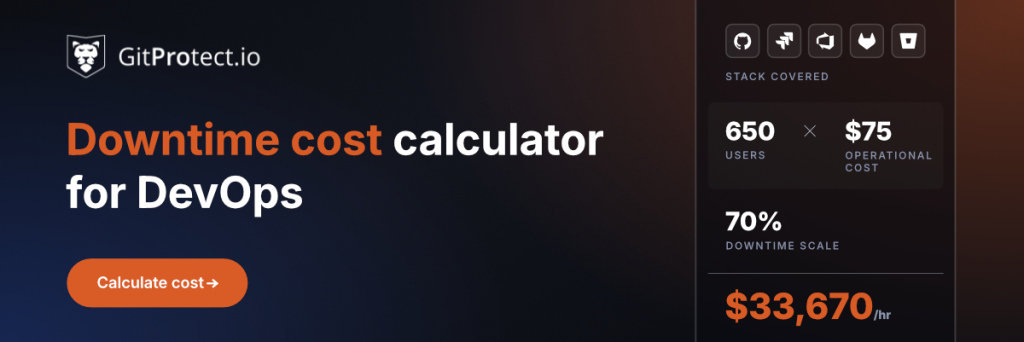
It’s worth answering the question with real-life numbers. When a pipeline goes down, be it from ransomware, a leaked token, or a runner with admin rights, the bill starts running immediately: SLA penalties, idle engineers, frozen releases, and a recovery clock you don’t control.
Our free downtime cost calculator turns that into an hourly figure for your team, benchmarked against real incident data.
The Final Line of Defense: Backup and Disaster Recovery
Prevention and scanning tools are critical, but no security shield is 100% leak-proof. When a CI/CD pipeline is compromised or a ransomware attack successfully encrypts your repositories, you need a fail-safe that cannot be breached.
| “Backup and Disaster Recovery are our last line of defense. Listen, anyone who says their tool will stop 100% of attacks really wants to sell you something. Seriously, it’s like a typical salesman selling pots and pans.” |
| ~ Paweł Budzan |
If we assume the worst—that your pipeline goes down and your repository is encrypted—the only protection for your operations is a truly isolated backup.
Without it, the exact same compromised credentials or excessive permissions that allowed the attacker into your CI/CD infrastructure will be used to systematically erase your safety nets. Treating your backups as a fully independent, parallel architecture is no longer just a best practice—it is a critical necessity.
| “The only thing that saves you is a backup that the attacker physically couldn’t reach because it was offline, in a separate cloud tenant, on a separate account. Not in a ‘separate folder on the same S3’ […] A backup on the same AWS account as production is not a backup.” |
| ~ Paweł Budzan |
But a backup is only as good as its last successful test restore, and an untested backup is just wasted storage space.
It is not uncommon for organizations to diligently back up their repositories for months, only to discover during a critical incident that the files were corrupted, incomplete, or missing critical metadata.
Running regular dry runs validates the integrity of your codebase and ensures you consistently meet the strict compliance requirements of modern DevSecOps standards. When an incident strikes, you must execute your DR procedures with certainty that your data will be restored immediately.
| “On the day of an incident, there’s no time to find out that something isn’t working; on that day, you must act according to procedures and be 1200% certain that the backup worked. […] Everyone has Disaster Recovery ‘almost ready’. Until Friday comes —or even better, holidays. At 11:00 PM, ransomware encrypts the repo, and suddenly, it turns out the ‘almost ready plan’ restores absolutely nothing. That’s when I call it the Master of Disaster.” |
| ~ Paweł Budzan |
When Will Your CI/CD Pipeline Fail?
We’ve established that your CI/CD pipeline holds the keys to the entire kingdom.
With malicious LLMs dropping the barrier to entry for attackers and sprint-pressured developers inevitably making human errors, it is no longer a question of if your pipeline will be compromised, but when.
And when that day comes, your prevention tools are irrelevant.
Thus, independent Backup and Disaster Recovery (DR) plans are the absolute final line of defense against attacks on your CI/CD pipeline. However, having a backup means nothing if you’ve never proven it works in the real world. A rigorously tested restore process is the only thing standing between a minor Friday-night hiccup and becoming the Master of Disaster.
🛡️ Secure Your CI/CD Pipeline Now
Ensure your code and pipelines are recoverable. Protect your repositories with automated, independent DevOps Backup and Disaster Recovery from GitProtect so you can restore your environment instantly, no matter what hits your pipeline.
👉 Try GitProtect for free or Book a custom demo