How We Prevented a Critical Jira Data Loss Incident (and So Can You)

As daily Jira users, the GitProtect Team experiences the platform’s pros and cons firsthand. A recent notification from Atlassian about data loss was a sharp reminder of digital fragility. Without GitProtect, our enterprise-grade backup solution, the loss could potentially turn into a critical data incident.
Let’s see what happened and how we responded.
The Context: Inadvertent Deletion and Closed Retention Window
It all started with an email received by our IT Team. Upon review, we discovered that: a) a critical work item with subtasks had been inadvertently deleted some time ago and b) the provider couldn’t recover it because the retention window (30 days at maximum) had already closed.
The Culprits: Bug and Platform Limitations
The inadvertent deletion was the result of several converging factors.
First of all, there was an active bug in one of the Jira tools—Jira Issue Navigator or Jira Service Management (JSM)—between October 23, 2025 and February 25, 2026. It worked this way: deleting one item caused the next viewed item to be silently deleted in the background without user confirmation.
Atlassian discovered the bug on February 25, 2026 and immediately began an investigation. We, as the customer, weren’t aware of the bug and the deleted data until receiving the notification.
Limited Native Retention (and Backup)
The date of bug discovery (February 25) turned out to be too late to use the platform’s native backup recovery. According to Atlassian estimates, one of the bugged tools automatically deleted our work item before January 28. To be more precise, the provider’s logs indicate exactly December 11, 2025.
A short retention period may be insufficient for most business needs. It’s also far from enough when we speak about meeting popular compliance standards like SOC 2, ISO 27001, or HIPAA.
Let’s take this real-life example: You may have important tasks in Jira that get suspended for a reason. If those are deleted in the meantime due to an error, malicious action, or flawed update, you may remain blissfully unaware for quite a long time.
The Shared Responsibility Model is a liability framework whose basic principle is as follows: a cloud provider takes care of service uptime/availability, while an end customer of their data security. Currently, the model is followed by most (if not all) cloud service providers out there.
If the responsibility for customer data was on cloud provider, they would:
- offer robust native backup with much longer retention, e.g. 1-year;
- recover the lost data regardless of a reason.
At the same time, you need to remember that implementing a fully-fledged backup solution will never be a priority for any cloud provider. That’s because it’s not their primary focus and it generates extra cost for storage, data transferring, etc.
To get away from real trouble, you need a third-party tool that regularly runs backups for your organization. And this is basically the path we followed to get the lost data back.
The Fix: Granular Recovery with GitProtect
With unlimited retention in place and Jira backups replicated to storages independent of Atlassian’s ecosystem, we were able to quickly restore the deleted work item. For this, we used GitProtect’s granular recovery feature, following a few simple steps:
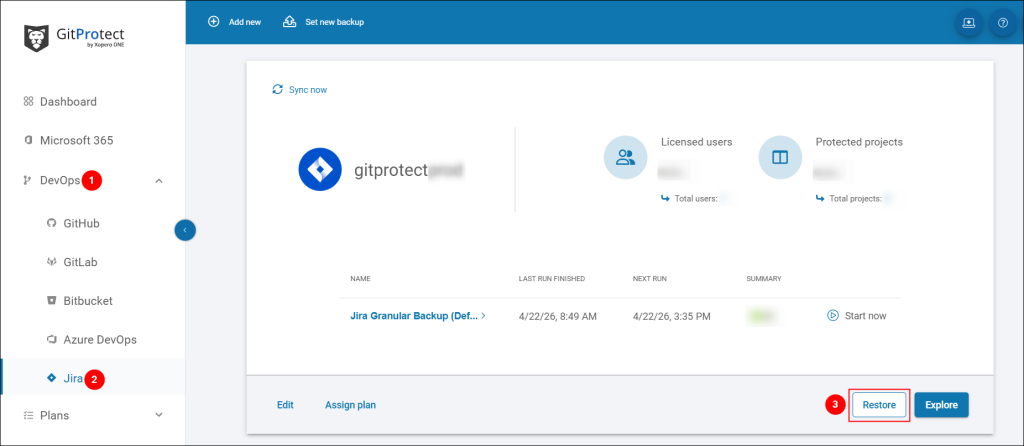
- In GitProtect Management Service (management console), we went to DevOps > Jira and clicked Restore next to our organization’s backup.
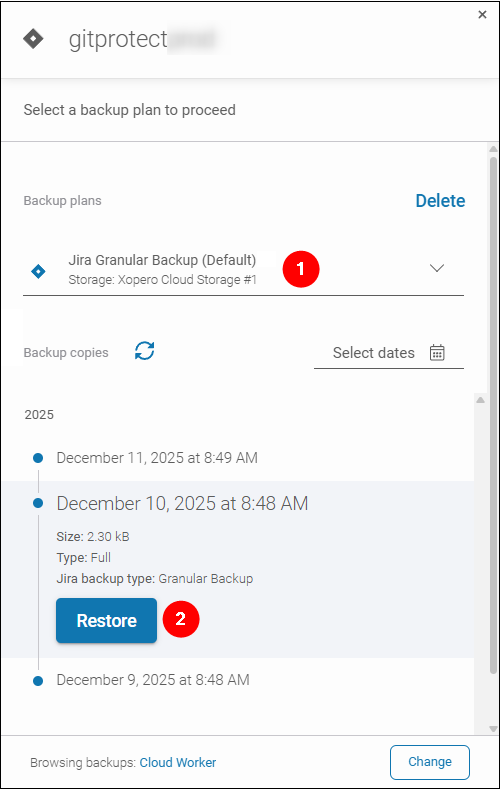
- Selected our production Jira backup plan from the plan list. Then, chose the exact backup from a point in time right before the deletion date (December 11, 2025) and clicked Restore.
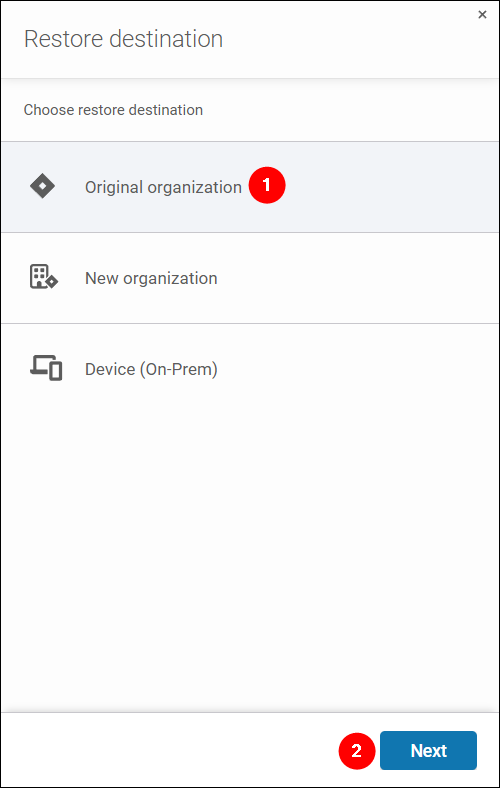
- Selected Original organization as the restore destination and clicked Next.
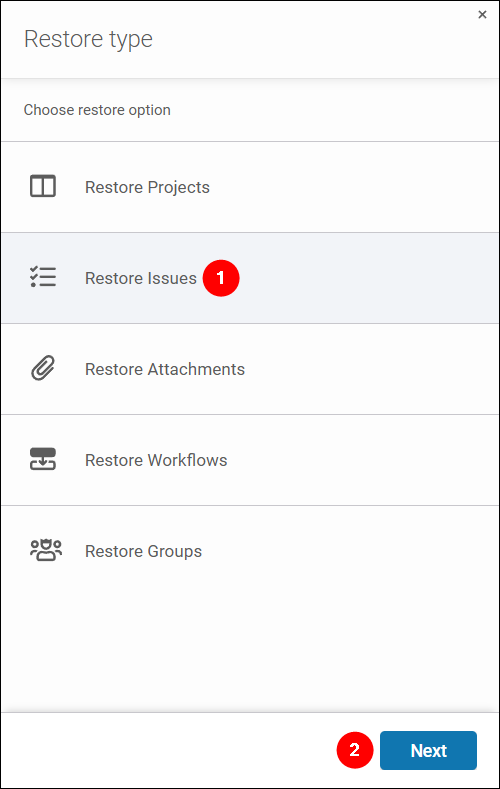
- Since we wanted to restore a work item with the related subtasks, we chose Restore Issues and clicked Next.
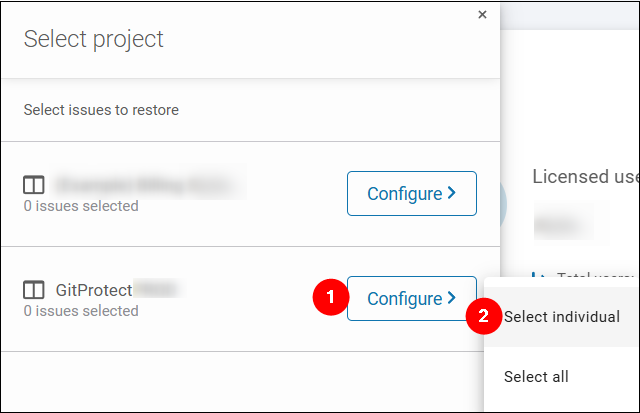
- To be able to granularly select the work item and each subtask, we clicked Configure > Select individual.
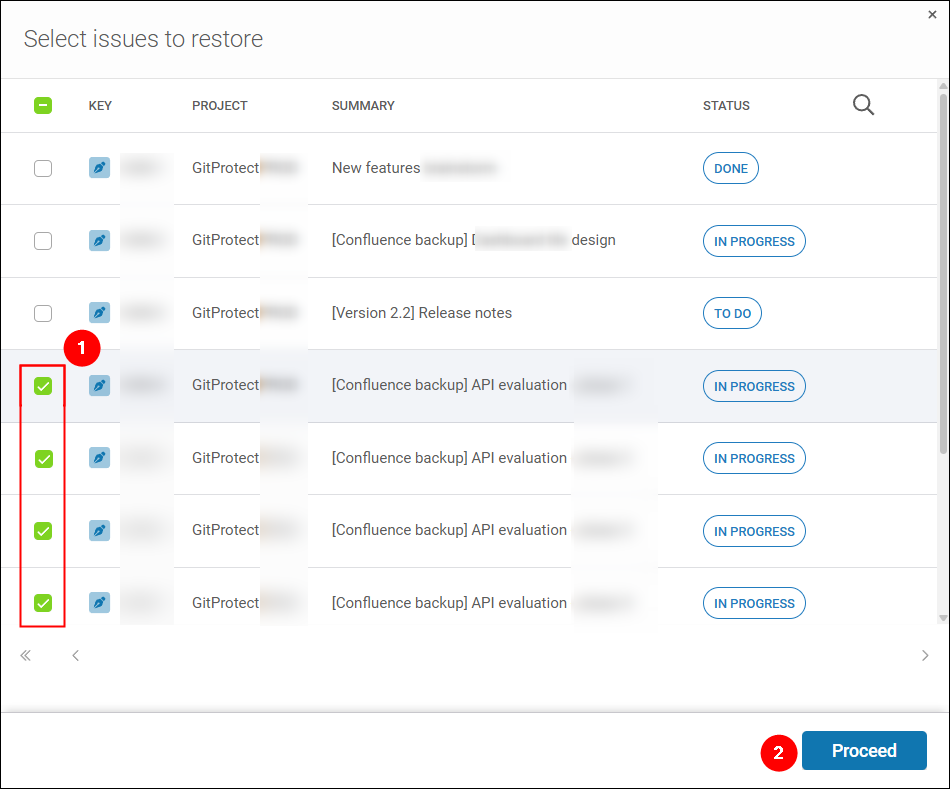
- Then, we selected the work item mentioned in Atlassian’s correspondence. Also, consulting the work item owners, we selected the related subtasks by their IDs. Finally, clicked Proceed.
- Back in the Select project pane, clicked Proceed.
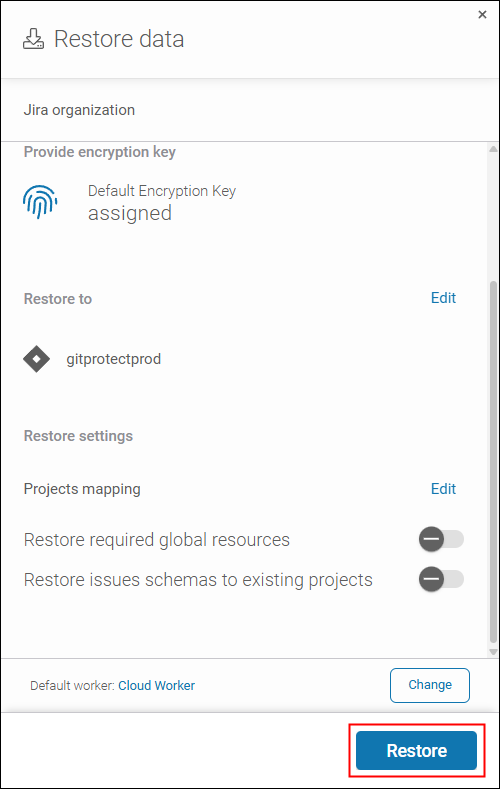
- Finally, we hit Restore to start the process.
Soon, we could see how it completed in the Tasks tab, the place where you can monitor progressing tasks in GitProtect.Then, we checked if the missing work item (along with the subtasks) was restored and fully accessible in Jira. The checks were completed successfully!
Key Takeaways to Avoid the Hard Lesson
Data loss is stressful, but a robust backup strategy turns a crisis into a routine recovery—a non-chaotic, reliable, and successful process.
Keep the following in mind:
- Don’t assume that a cloud service provider takes care of your data protection. It’s your responsibility.
- A provider’s native backup tool with premium retention is usually a paid add-on that requires prior configuration—you’re not protected by default just because you keep data in the cloud.
- Native backup tools often don’t offer all the baseline features. For example, they may miss granular recovery, which in practice means lengthy restore process and downtime for corporate end users. Or they offer limited retention, which may unpleasantly surprise you when you discover data loss too late (just like we did).
- Reliable protection is only possible with a dedicated backup software and replicated copies (learn about the 3-2-1 backup rule). These make you effectively independent of your cloud service provider’s failures.
If GitProtect resolved this crisis for us, it can provide the same protection for your data.
- Multi-storage support (for cloud-to-cloud backups and cloud-to-on-premises backups),
- fully configurable data retention up to unlimited, and
- granular backup&recovery
are only a few of the rich capabilities of the tool.
To learn about all of them, visit GitProtect’s website and test the leading DevOps and SaaS backup tool for free for 14 days (no credit card required).