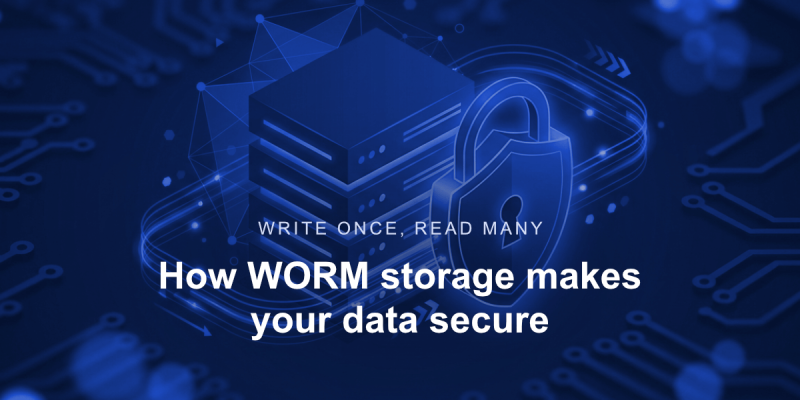
Write Once, Read Many: How WORM Storage Makes Your Data Secure

WORM (Write Once, Read Many) is a data storage model specifically designed to guarantee data integrity over time. In a WORM-compliant storage, data is written once and cannot be altered or erased for a defined retention period (can be read as often as needed though).
What is WORM (Write Once Read Many)
WORM enforces two crucial rules:
👉 data cannot be rewritten (no overwrite)
👉 data cannot be erased (no delete) until retention expires
Bear in mind – these must be enforced at the storage level, not through any kinds of permissions or user roles. That distinction is key because data may still be vulnerable if protection depends on who is logged in or what rights they have.
How did WORM originate and what it is used for
WORM storage was developed for environments where data is treated as evidence. Financial institutions, healthcare providers, and regulated industries often rely on WORM-compliant storage instances to ensure that records remain complete, unchanged, and legally defensible over time. In these contexts, even a single altered byte of data could invalidate the whole dataset.
From a technical perspective, WORM storage typically works by assigning a desired object or record a retention period at the time it is written. Now, until that period expires, the storage system itself rejects any attempt to modify or remove the data, regardless of intent or access level the user has.
👉 The key implication is that if data can be changed or deleted before its retention period ends, it is not WORM-compliant.
This separates WORM from traditional storage models and lays the foundation for modern data protection strategies. This is especially true for environments exposed to ransomware, insider threats, and compliance audits.
How WORM works in practice
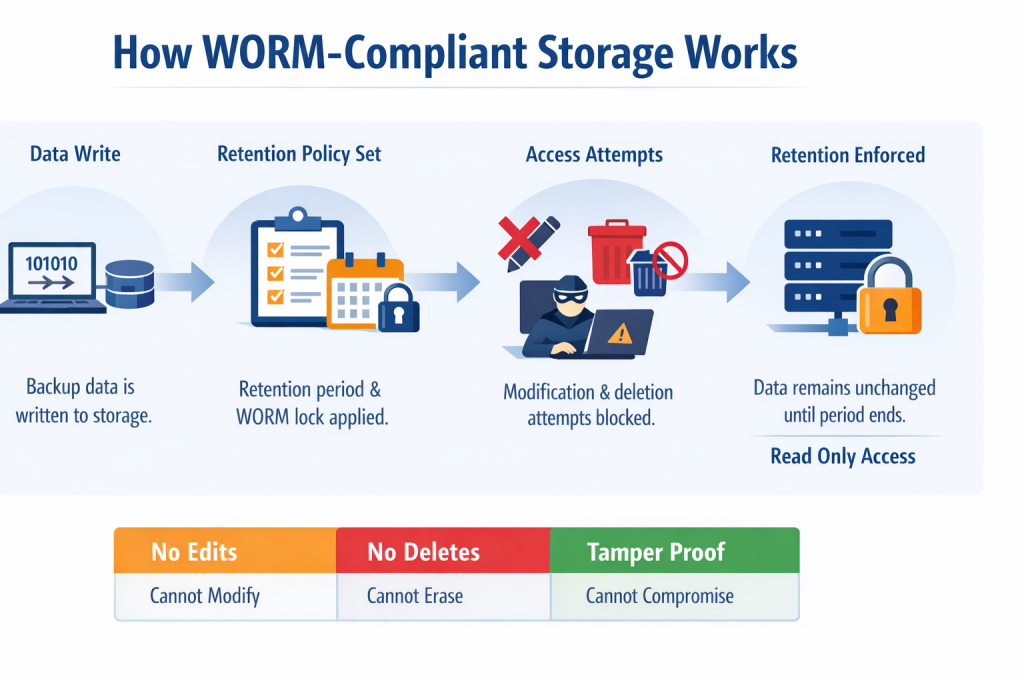
The mechanism used for WORM-compliant storage instances is simple and unforgiving:
👉 First, an object is written to storage, then a retention lock is applied. Now, until expiration there is no overwrite, no delete, and no metadata changes.
In compliance-grade WORM implementations, the set retention cannot be bypassed even by administrators without violating the integrity of the storage system itself. This is what separates WORM from configuration-based immutability.
WORM vs immutable storage
The terms WORM and immutable storage are sometimes used interchangeably. That’s a mistake. They actually refer to different levels of enforcement – confusing them may lead to false security assumptions.
Immutable storage is a broader (and often weaker) concept. In many systems it is:
- implemented at the application layer,
- dependent on permissions.
Keep in mind immutable storage is also vulnerable to credentials compromise, misconfigurations, and insider threats.
While WORM-compliant storage:
- enforced at the storage layer
- independent of application logic
👉 Every WORM system is immutable, but not every immutable system is WORM-compliant.
Why WORM is important against ransomware
Ransomware does not attack data itself. It actually attacks your ability to recover the given data. Typical attack chains would involve account takeover, deletion of backups, production encryption, and ransom payment demand.
The WORM-compliant storage breaks this chain as backups still exist, and the data cannot be deleted, encrypted, or overwritten.
WORM-compliant storage in GitProtect
GitProtect.io uses WORM-style immutable storage as a built-in ransomware defense and regulatory readiness measure, ensuring backup data remains unchanged for defined retention periods. The platform’s approach has three practical dimensions.
#1 Object Lock immutability support
When GitProtect writes backup data to S3-compatible storage with Object Lock enabled, the storage itself enforces WORM retention. This means backups are stored with native immutability ensured by the storage provider’s lock mechanics – preventing modification or deletion during retention.
It leverages standard object storage features to make backups tamper-resistant at the storage API level.
#2 You choose the storage target
GitProtect supports:
- its own cloud storage with WORM enforcement enabled by default
- user-managed S3-compatible buckets that already have Object Lock turned on
- any combination of cloud, on-premise, or hybrid targets
This flexibility lets you implement WORM in the storage tier that matches your compliance and resilience requirements.
#3 Complemented by multi-storage replication
Immutable backups alone reduce data-tampering risk, but GitProtect also lets you distribute copies across multiple storage instances (cloud, on-premise, hybrid). This supports the adherence to robust strategies like the 3-2-1 backup rule – multiple copies, different systems, one off-site – with immutable snapshots protected at each target.
The combination of Object Lock immutability with distributed backup copies means:
- locked backups cannot be overwritten or erased
- separate copies exist outside of any one storage failure
- restore paths remain available even if a primary target is compromised
Practical product behaviors worth noting
Immutable configuration must be enabled when creating the bucket for some storage types – you cannot turn it on retroactively after creation.
GitProtect’s internal retention and versioning logic cannot be used instead of external object storage retention policies. In order to set up WORM storage, in AWS for example, save the data in the immutable and WORM-compliant s3 storage with an object lock set to 6 months, then set the retention in GitProtect for 3 months (after this period a notification to delete will be sent to the storage). This data will be removed from the storage after 6 months.
With this approach, you guarantee resilience against:
- ransomware,
- human error,
- malicious admins.
Why WORM alone is not enough
Here’s the uncomfortable truth – WORM-compliant storage without: replication, account separation, monitoring, or recovery testing creates a false sense of confidence.
WORM must be:
- part of a backup & disaster recovery strategy
- integrated with operational processes
- regularly tested via restore scenarios
This is where it ties back directly into the Shared Responsibility Model, ransomware prevention, and recovery testing best practices – thus, outlining its importance in current data protection strategies (not just in DevOps).